
Total by Time Period Card allows you to see the total number of comments throughout the whole of the site history grouped by year, month, week, or day.
The number of comments in a table regardless of the card filter leads to the “All Comments” page with comments filtered by year.
The content of this card is not affected by Comments Date or Number of Items Per Page dashboard filters.
Comments Number Grouped by Year
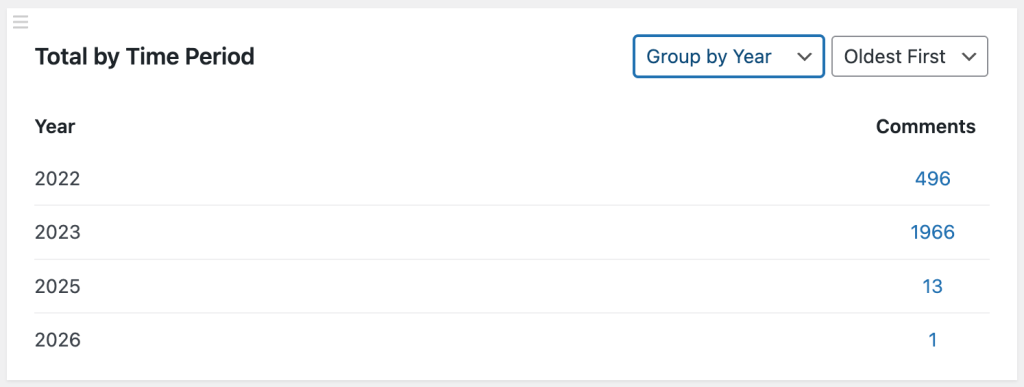
When this card filter is applied – the card displays the number of comments per year.
Technically, all other groupings options are also being grouped within the year, so years – that’s something you will always see in this card.
Comments Number Grouped by Month
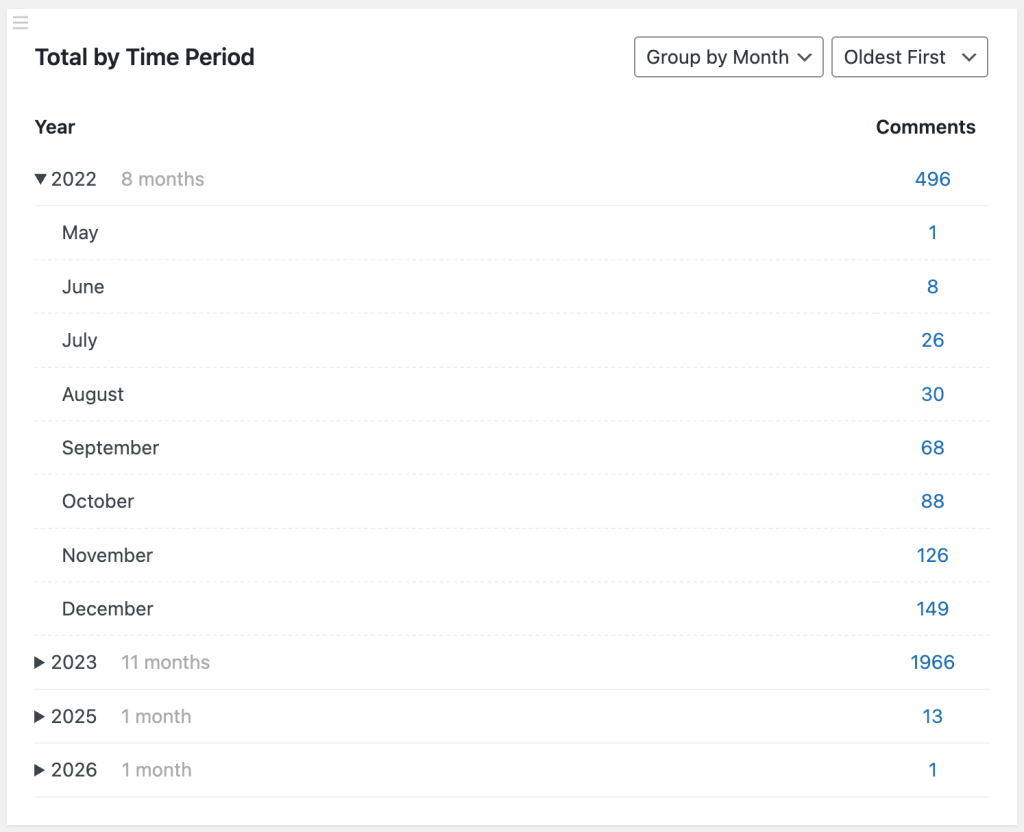
For each year the card displays the list of months that had at least 1 comment published. There are also several totals:
- a total number of comments per year;
- a total number of comments for each month during that year.
The sum of comments by month equals the total number of comments for that year.
Comments Number Grouped by Week
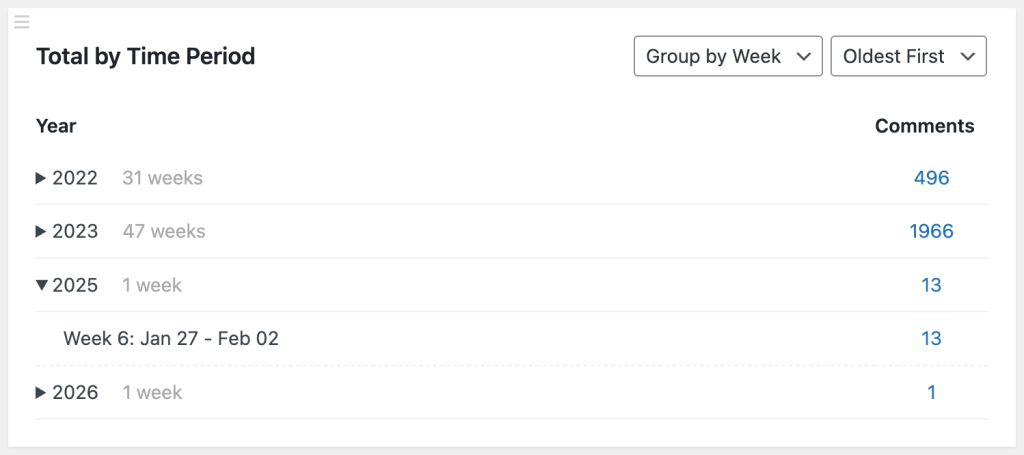
This is one of the most sophisticated and detailed report so far in this card.
For each year the card displays the list of weeks (according to ISO 8601) that had at least 1 comment published. There are also several totals:
- a total number of comments per year;
- a total number of comments for each week during that year.
The sum of comments by week equals the total number of comments for that year.
Comments Number Grouped by Day
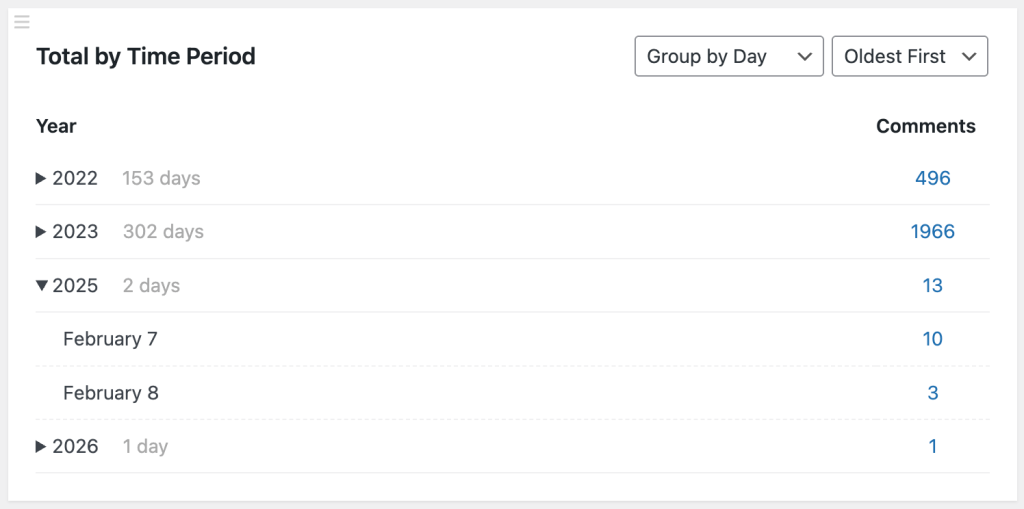
In v1.3 we introduced Daily reports for comments. They work similarly to weekly reports with the same totals (per year and per day).
Chronological Sorting
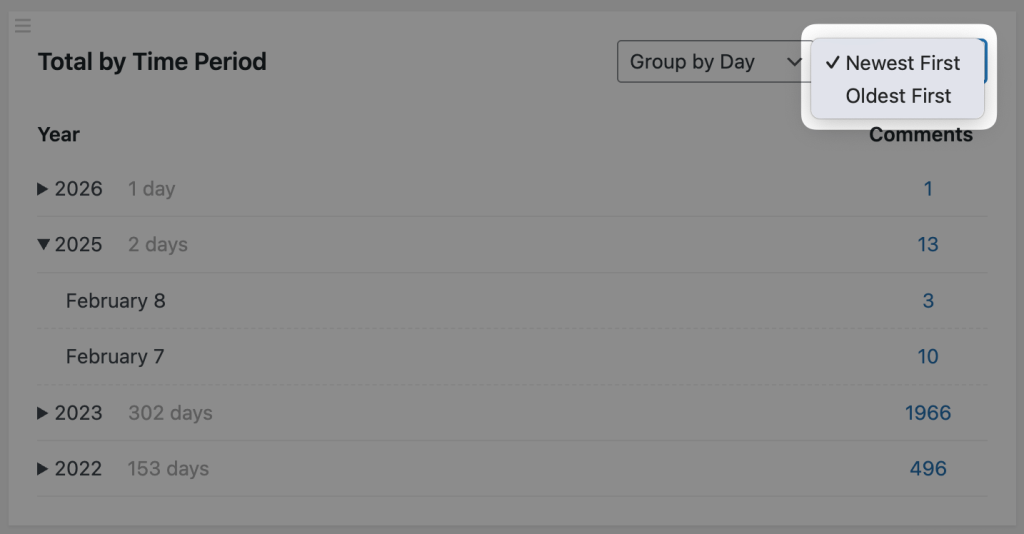
Starting from v1.3 of the plugin, you can now change the sorting order of the displayed years, months, weeks and days in this card. So far we support “Newest First” and “Oldest First” ordering.